fluentmark


FluentMark Advantest Edition (AE)
A full-featured Markdown editing environment for Eclipse IDE. FluentMark was originally developed by Certiv Analytics / Gerald Rosenberg and was modified for Advantest Europe GmbH to better satisfy company-specific needs.
This work is forked from https://github.com/grosenberg/Fluentmark.
Features
- Choice of Markdown converter
- Real-time preview
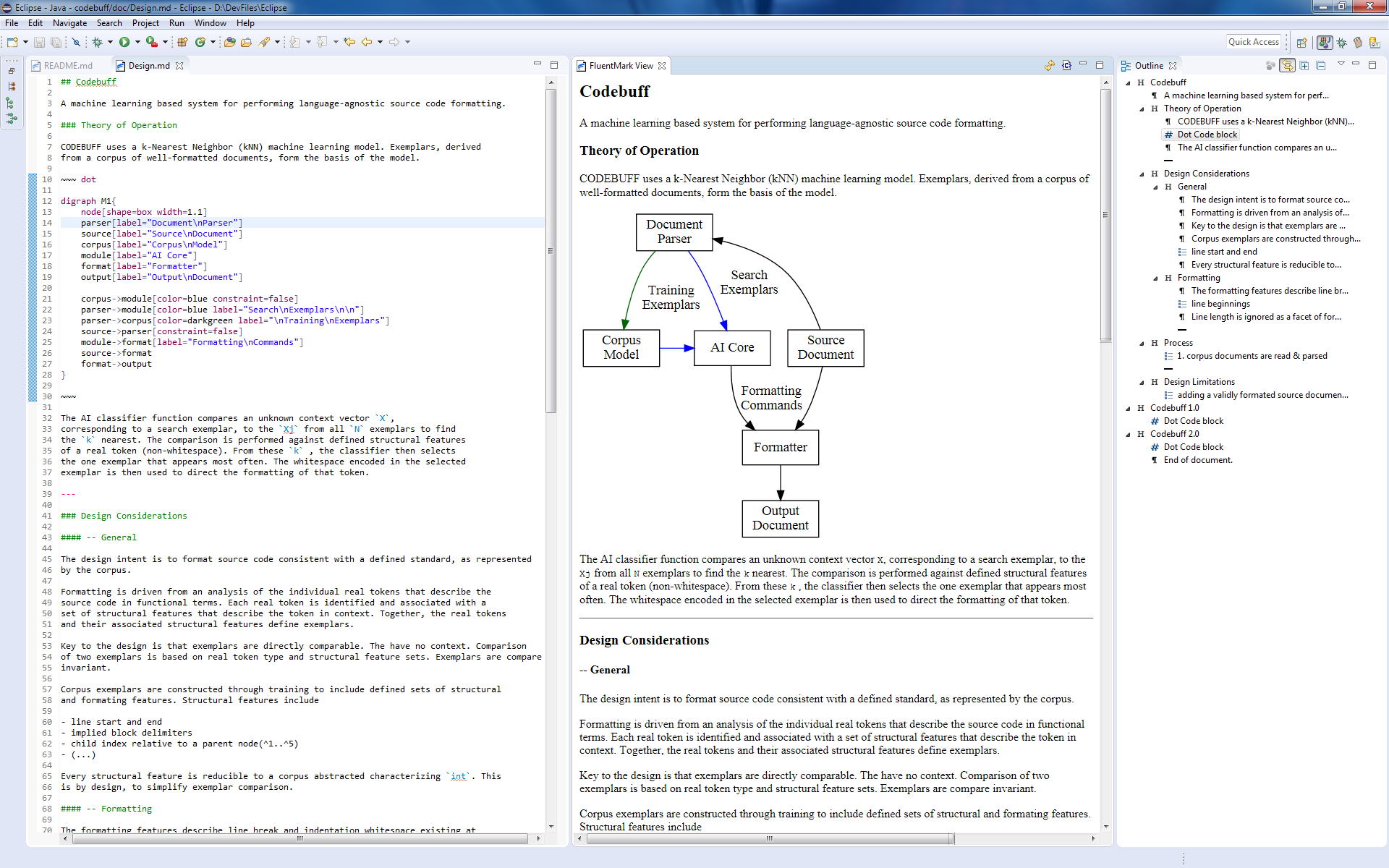
- smooth, reactively rendered HTML display, using Vue.js
- navigation from source code to preview and back (Advantest Edition only)
- improved navigation support (e.g. following links in preview opens same file in editor) (Advantest Edition only)
- Zoom images in the preview (Advantest Edition only)
- stylesheet controlled presentation
- multiple built-in stylesheets
- local custom/user-defined stylesheets
- PDF export using Pandoc
- custom/user-defined LaTeX page template support
- LaTex/Math presentation using MathJax
- Code highlighting in code blocks using highlight.js
- Diagram rendering
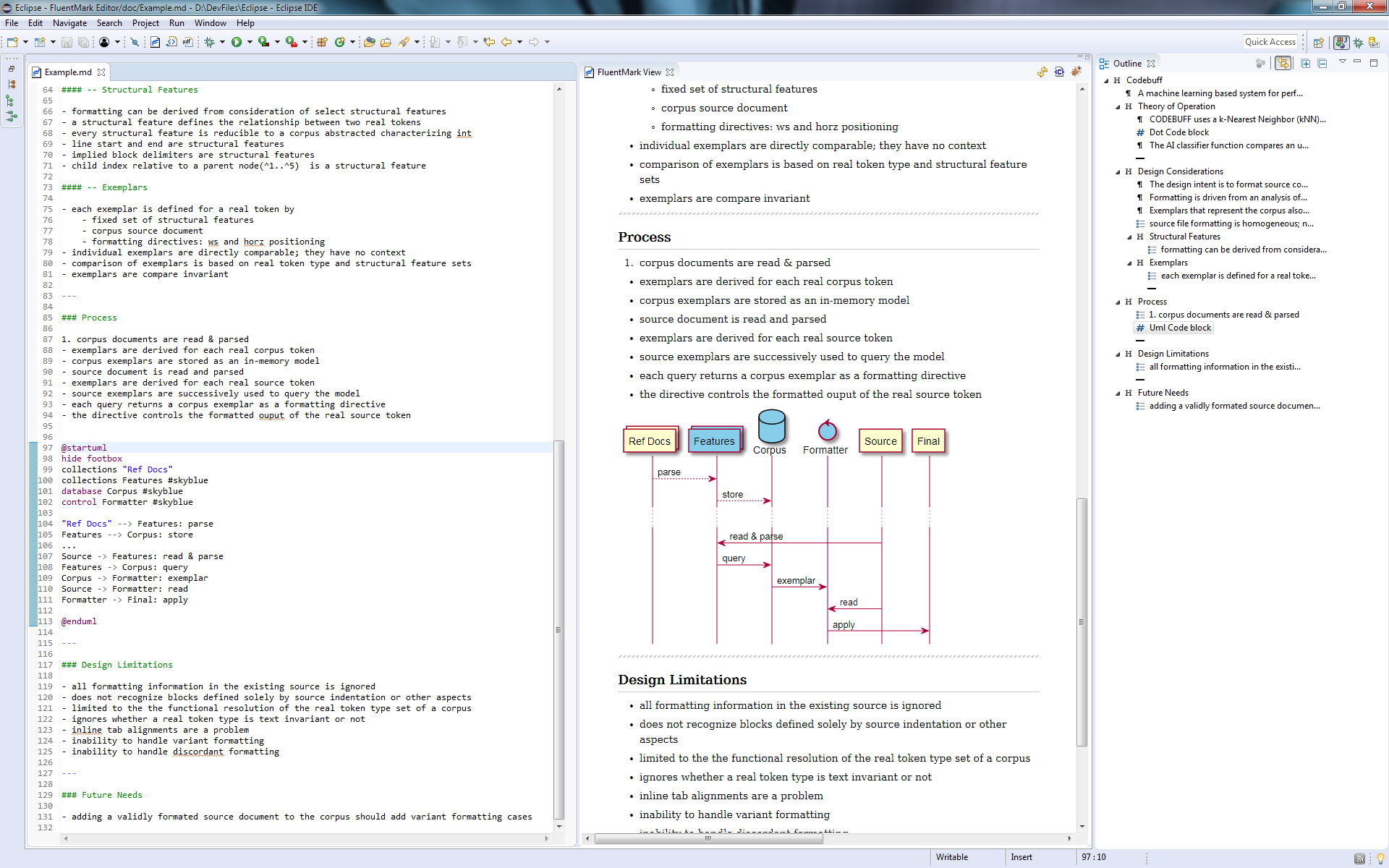
- UML diagrams using the PlantUML language
- all diagram previews are rendered in real-time
- exported Web and PDF documents embed the diagrams as scalable SVG images
- Markdown code validation and error reporting (Advantest Edition only)
- Check link targets (web links, links to sections, links to files). Do the linked files, sections, or web sites exist?
- Check anchors (section identifiers). Are identifiers unique? Do they contain illegal characters?
- Check image references (find missing image files)
- Add additional validations using extension points (e.g. check links to tickets in your intra-net)
- Spell check with quick-assist correction processor
- Various code assist features
- Code completion for code templates
- Code completion for anchors (section identifiers) and links to sections (Advantest Edition only), etc.
- Code assist for creating paths to files, either using a file selection dialog or by step-wise completing the file path using code proposals (Advantest Edition only)
- Refactoring operations (Advantest Edition only)
- Extract a PlantUML code block to a linked *.puml file or in-line such a file as a code block
- Replace SVG images with on-demand rendered PlantUML diagram files
- Smart editing behaviors, including intelligent paragraph, list & blank line handling
- Table editor
- Text, list and table formatter
- Support for TODO and FIXME tasks in Markdown code (Advantest Edition only)
- Outline view with drag-and-drop support
- “Hide all but the sections” filter (Advantest Edition only)
- Extended Markdown language (Advantest Edition only)
- PlantUML code blocks are first-class citizens, no need to surround them in fenced code blocks, i.e. everything between
@startumland@endumlis rendered as a PlantUML diagram - Fenced code blocks with the
plantumllanguage are automatically rendered as a diagram (not as a code block or text) - Using *.puml files as images, e.g.
(they are rendered on demand) - Footnote support
- PlantUML code blocks are first-class citizens, no need to surround them in fenced code blocks, i.e. everything between
Screenshots
Installation & Use
Install the latest version from our Eclipse update site (p2 repository): https://advantest.github.io/fluentmark/. (In Eclipse, select the menu Help -> Install New Software…, then paste the update site URL into the text field and press enter, select the features to be installed and press the Finish button.)
Requirements
- Eclipse 2025-12 or newer
- Java 21 or newer
- Graphviz for rendering diagrams (PlantUML / DOT)
- Pandoc (optional) for rendering PDF (could also be used to render HTML instead of using flexmark)
- For PDF export, both Pandoc and a LaTeX processor must be installed. Pandoc recommends MikTeX.
Preferences
- Window → Preferences… → FluentMark
Keys
| Key | Function |
|---|---|
| Ctrl-Space | Opens the template assist popup |
| Ctrl-1 | Spell check quick correct |
| Ctrl-b | Toggles bold of selected text |
| Ctrl-i | Toggles italics of selected text |
| Ctrl-/ | Toggles Markdown-style commenting of selected text |
| Ctrl-Shift-/ | Toggles HTML-style commenting of selected text |
| Ctrl-Shift-f | Format - full page or selection |
| Ctrl-Shift-Alt-f | Format - with unwrapped text |
Math
In-line Math uses single $ open/close delimiters. Can be embedded in other markdown features.
The opening $ must have a non-space character immediately right. The closing $ must have a non-space
character immediately left and must be followed immediately by a non-digit.
Math blocks are delimited using double $ (i.e., $$) marks at the left margin. The open delimiter
must follow a blank line and the close delimiter must lead a blank line.
Table Editor
Double-click on a table to open the table editor. While in the editor, double-click a cell to edit
text. Tab and arrow keys will navigate between cells. Return to end cell editing.
Support
Open an issue on Github.
Provide as much information as applicable, including the plugin version number, any error message encountered, and a minimal example of the Markdown text at issue.
Resources
- Markdown Syntax
- TEX Commands available in MathJax
- PlantUML Language Specification
- Dot Language Man Page
- Pandoc Latex Templates (for PDF generation):